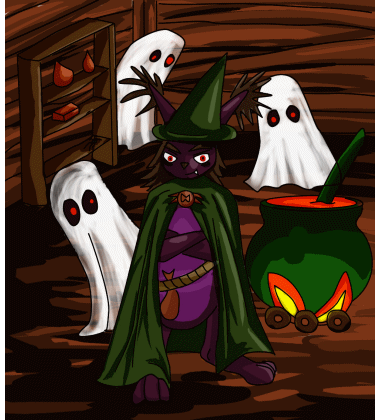
Its time to celebrate Halloween in the world of Undying Woods! Elger has taken the time off from doing quests during this holiday season. Instead, you can visit her with your pet dressed up for Halloween to go Trick or Treating for FREE once every 20 minutes - Mad Scientist pets can visit once every 15 minutes! All you need to take part is a pet wearing a Halloween, Nefarious, Skeleton, Ghost, Witch, Dark, Zombie, Wizard, Voodoo, Vampire, Goblin, Rotten, Midnight, Insideout, Gothic, Eleka, Killer, Mad Scientist, Werewolf or Devil costume!



































































 Account Upgrades
 Account Upgrades Shop
 Calendar
 Capsule Machine
 Forums
 Giftbox Shop
 Lottery
 Monthly Checklist
 Raffle
 Retirement Planning
 Sewer Fairy
 Wishlist